
Download the App, Get Your Badge, and Gear Up for MAXX 2026
Posted by Alyse Knudsen on October 1, 2026
MAXX 2026 is just days away, and it promises to be loaded with opportunities to learn, network, and advance the Credit Union Movement.
Start your MAXX experience with ease.
Streamlined Badge Pick-Up: Print Yours On-Demand
Check-in easier than ever with print-on-demand badges. Multiple self-service stations will be available in the registration area on Level 1 (near the Spruce session rooms) of the Gaylord Rockies Convention Center, where you can quickly:
- Find your name on the screen, or
- Scan your QR code directly from the MAXX App.
Once you’ve verified your information, your badge will print right away. Your badge is your key to the conference. It provides access to all sessions and the GoWest Solutions Marketplace — and any separately ticketed events you’ve registered for will be listed on the back.
Important: Please keep your badge with you at all times during the week. Badges may be checked at the GoWest Solutions Marketplace entrance.
This process is designed to give you a fast, smooth, and secure start to the event. Of course, the GoWest team will be nearby to assist if you need any help.
MAXX App: MAXX at Your Fingertips
The MAXX app will be your best tool to stay organized and connected during your time in Denver.
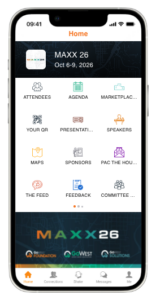 There will be a lot going on each day. To get the most out of your MAXX experience, download the free GoWest Events App before you arrive and check out all its features! It’s a great way to be in the know about everything MAXX 2026.
You can easily access venue maps, personalize your daily agenda, get information about speakers, exhibitors, sponsors, and more!
Key features of the app include:
- Use the interactive GoWest Solutions Marketplace map and compete in the “Marketplace Game” for a chance to win prizes
- View session and speaker information and curate a personal agenda
- Get hotel and restaurant information
- Learn tips and tricks for making your time at MAXX successful
- Use the “shake” feature for an easy way to connect and instant message your colleagues
- Receive push notifications in real-time to receive the latest MAXX updates
Content will be loaded into the GoWest Events app up until the day before MAXX begins. It’s a good idea to download the app ahead of time so you can add contacts, check out the agenda, get hotel info, and more. Then on the morning of Oct. 6, refresh the app for the most up-to-date information.
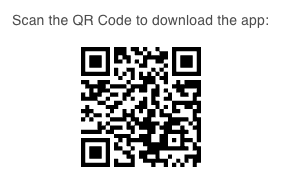 The GoWest Events App is available for free on the Apple App Store and Google Play store. Or scan the QR Code with your phone to download the app.
When you’ve downloaded the app, follow the prompts to create a new account with your credit union email address or log in to your existing account.
Many thanks to this year’s app sponsor — Alloya.
If you have any questions about the app, please contact Ben Shuey, GoWest’s AVP of Digital & Growth Marketing.
If you haven’t registered for MAXX 2026 yet, there’s still time to get in on all the action! Click HERE to register today!
Posted in MAXX.


















Brittanie Bonanzino
AVP, Communications
Washington
Phone: 509.218.1192
Toll-free: 800.995.9064

Alyse Knudsen
Manager, Communications
Oregon
Phone: 971.450.5660
Toll-free: 800.995.9064

Madlynn Schreibvogel
VP, Public Relations
Colorado
Phone: 303.513.3765
Toll-free: 800.995.9064